See it in action
A familiar spreadsheet experience with Anaplan data at your fingertips.
The browser-native connector that brings your Anaplan models directly into Google Sheets. Works on Mac, PC, and Chromebook — no Excel required.
Interactive sample · no sign-in · about 2 minutes. Request a live demo for your model →
Explore UX navigation, hierarchy selection and source formatting →
Latest workflows · October 2026
Choose exact nested combinations, keep connected views in sync, and reuse your reporting setup across workbooks.
Different measures for different periods
| Metric | FY26 | FY27 | ||
|---|---|---|---|---|
| Forecast | Budget | YoY | YoY % | |
| Revenue | $100M | $120M | $20M | 20.0% |
| Operating profit | $18M | $24M | $6M | 33.3% |
Keep only the combinations you want—not every measure repeated under every year.
Explore nested selections →Select exact row and column occurrences across two or three nested dimensions. Preview the layout, change selections, and save it for refresh.
Link compatible pivots in the same model so shared page selections stay in sync. Combine compatible module grids in one output.
Clone a connected workbook with its saved-view and pivot configurations, then reconnect under the receiving user's own access.
Ask about model structure and data, review the answer, and explicitly export a result to Sheets. The Claude handoff is a pilot that requires a configured Claude connector; availability depends on your environment. It is not unattended Anaplan write-back.
See the illustrative AI workflow →From natural language queries to executive dashboards — everything your FP&A team needs, right inside Google Sheets and Slides.
Query your Anaplan models with natural language. Ask "What were Q1 expenses by department?" and review an answer with model context and results you can export.
Bring supported UX grid styles into Sheets, including hierarchy emphasis, number formats, and conditional colors.
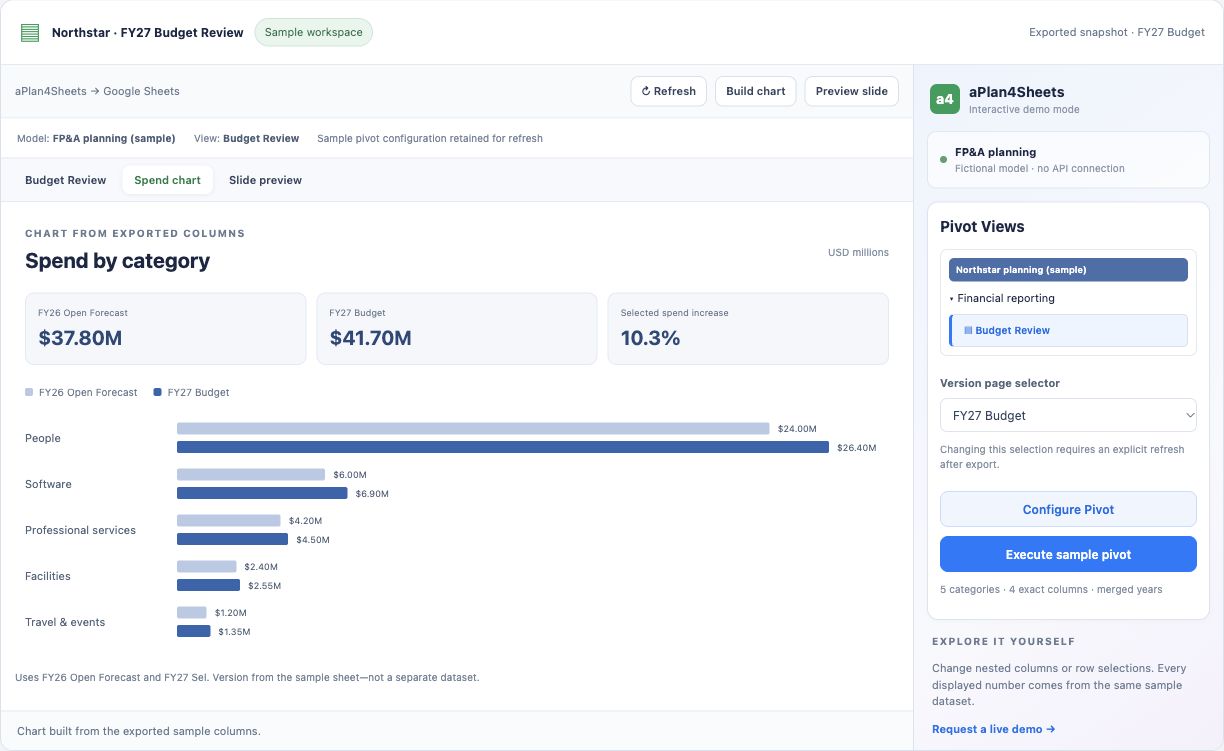
Use connected data for Google Sheets charts and Google Slides reporting. Review AI-generated KPIs, findings, and narrative before sharing.
Schedule hourly, daily, or weekly refreshes. Refresh connected reports on a recurring cadence, with status and error feedback when a refresh needs attention.
Everything you need to work with Anaplan data in Google Sheets.
Pull from pre-defined exports, saved views, or default module views — exactly as configured in Anaplan. No manual mapping required.
Transpose rows and columns, apply page selectors, and explore multi-dimensional Anaplan data in flexible pivot layouts — all inside Sheets.
Preserve Anaplan's cell formatting, conditional styling, and summary rows in Sheets. Build dashboards fast — no reformatting from scratch.
Schedule recurring data refreshes and check their status. Google-managed trigger timing is approximate; authentication and source-model availability still apply.
Ask about modules, formulas, dependencies, and data using Aplan AI. Review results before exporting to Sheets; see our Privacy Policy for AI data handling.
Sync page dimensions across multiple connections via linked configs. Clone existing connections to spin up new views in seconds.
Built for Anaplan teams who live in Google Sheets.
Mac, PC, Chromebook — runs entirely in your browser. No desktop software to install.
Pivot, filter, and format Anaplan data directly in Google Sheets. Scheduled auto-refresh keeps data fresh.
Share Anaplan-connected sheets with your team. Collaborators see the shared workbook; connected data updates when its configured refresh runs.
A familiar spreadsheet experience with Anaplan data at your fingertips.
Practical guides for connecting Anaplan models, supporting Mac and Chromebook users, automating reporting, and evaluating Google Sheets workflows.
Setup guide
Install the add-on, authenticate with Anaplan, choose a model, and pull your first view into Sheets.
Platform guide
Use a browser-native Anaplan connector in Google Sheets across Mac, Chromebook, Windows, and Linux.
Reporting automation
Build repeatable reporting packs with connected source tabs, scheduled refreshes, and shared Sheets workflows.
Alternative guide
Evaluate when a Google Sheets-based Anaplan connector fits Google Workspace reporting teams.
Comparison
Compare a browser-native Anaplan connector with AXL and Fluence XL for Mac, Chromebook, and Google Workspace teams.
Automation
Keep board reporting, variance analysis, and dashboards fresh without manual exports before every meeting.
aPlan4S is currently in beta. Review the Marketplace listing and setup guide to evaluate the connector.
aPlan4S is a Google Sheets add-on that connects directly to your Anaplan workspace. It lets you pull Anaplan model data into Google Sheets, configure views and layouts, and refresh data with a single click — all from your browser.
Yes. aPlan4S is currently in beta and available through the Google Workspace Marketplace for evaluation.
Yes. Since aPlan4S runs in your browser through Google Sheets, it works on any operating system — macOS, Windows, ChromeOS, and Linux. No virtual machines or workarounds needed.
Simply install aPlan4S from the Google Workspace Marketplace and follow our setup guide to get started — you'll be connected to your Anaplan workspace in minutes.
aPlan4Sheets supports Anaplan OAuth/SSO and Basic Auth, subject to your organization's configuration and permissions. Authentication details are retained in user-specific Google Apps Script storage. Google-hosted services process requests and write results to your Sheets over HTTPS. See our Privacy Policy for AI processing and operational usage records.
Connect accessible Anaplan modules, saved views, exports, and supported UX grid widgets. Configure rows, columns, page selectors, line-item selections, and compatible combined grids. Availability depends on source structure and Anaplan permissions. The workflows shown here retrieve Anaplan data; exporting an AI result to Sheets is not Anaplan model write-back.
Review the demos and setup guide to see how aPlan4Sheets works inside Google Sheets.